Open a ready-made resource
Choose a prepared diagram for topics such as cockpit drill, moving off and pulling over safely.
Developed through day-to-day driving instruction to solve practical teaching problems
Build clearer explanations with 240+ visual teaching assets, editable resources, Satellite View, Street View Teaching Mode and reusable lesson scenarios.

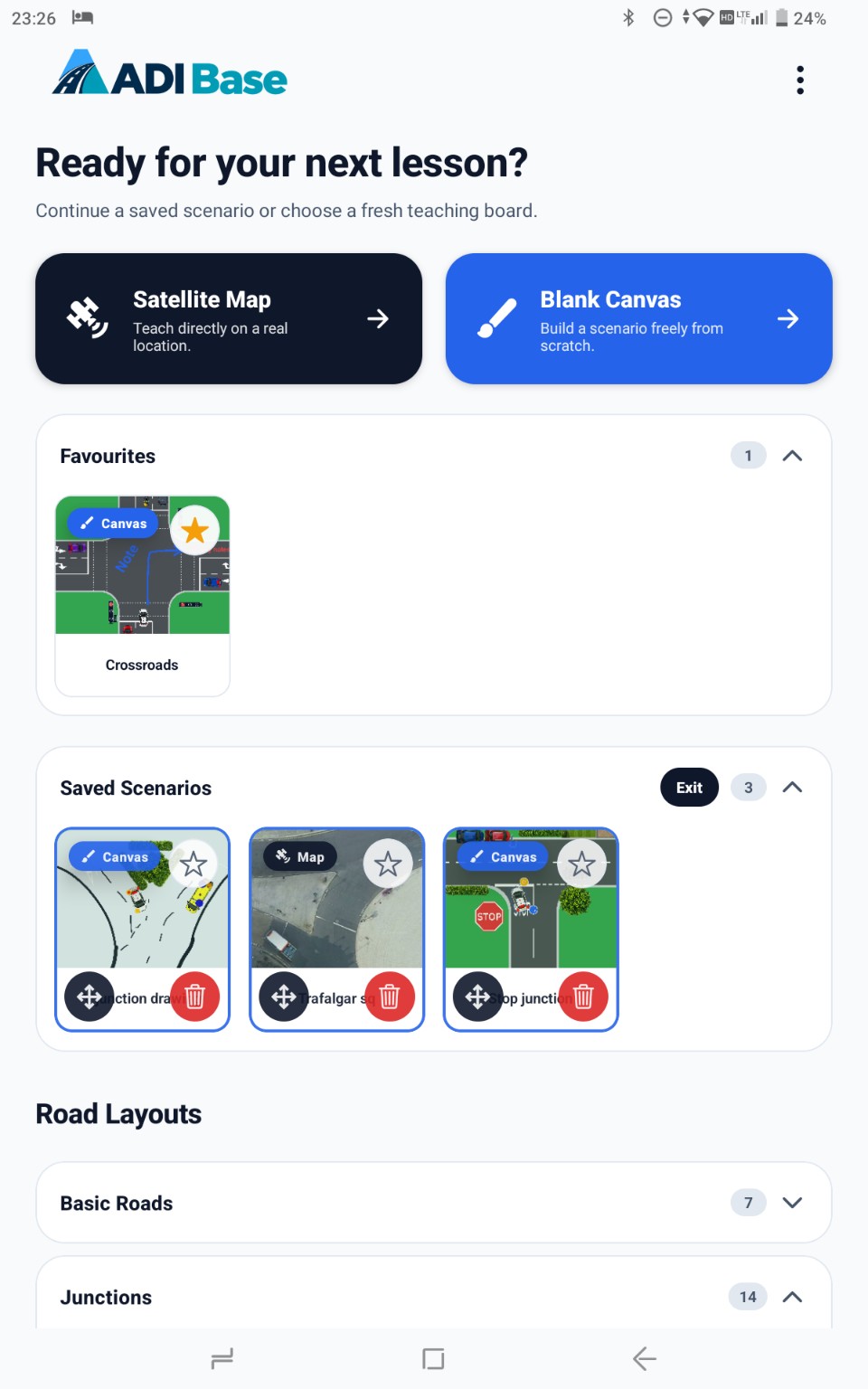
Ready when the teaching moment arrives
Go beyond fixed diagrams. ADI Base includes ready-made visual teaching resources for common lesson topics, giving you a professional starting point without limiting how you teach.
Choose a prepared diagram for topics such as cockpit drill, moving off and pulling over safely.
Add vehicles, road users, signs, markings, drawings and notes to turn the starting diagram into your own explanation.
Rename and reopen your edited version whenever it is useful, while the original resource remains ready for a fresh explanation.
A complete visual teaching toolkit
From a simple junction to a complex motorway scenario, ADI Base gives you the individual pieces to show the road situation clearly and adapt it around the learner in front of you.
Place, move and resize vehicles, road users, signs, markings, crossings and roadside objects to recreate the situation you need. Interactive states include supported indicators, brake lights, emergency blue lights, alternating Belisha beacons, pedestrian-crossing signals and configurable traffic-light phases.
The toolkit will keep growing. New layouts, objects and teaching content will be added as instructors use ADI Base and tell us what would make it even more useful.
Start with the situation in front of you
Choose a road layout, open a satellite map or begin with a blank canvas, then shape the scene around what your learner needs to understand.
Street View Teaching Mode
Find a real location, explore the road with your pupil, then lock the view and add drawings or notes directly over the scene. Save the panorama position and your annotations so the same teaching point is ready when you need it again.
Used alongside Satellite View, pre-designed layouts and Blank Canvas, Street View gives you another way to choose the clearest setting for every explanation.
Turn a spoken briefing into a road situation that the learner can inspect and discuss.
Move road users, add markings and annotate the decisions that matter in that moment.
Keep useful scenarios on your device so the same teaching point can be revisited without rebuilding it.
Current features
Extend the explanation
Export road-layout and blank-canvas scenarios to Photos, then share the PNG with your learner. Imported images require permission to share. Satellite-map scenarios are saved in ADI Base as fixed attributed snapshots that can be reopened offline; they may also be saved locally to Photos. ADI Base does not provide a direct sharing action for satellite imagery, which remains subject to the map provider’s terms.
Learners can revisit the teaching point afterwards, revise an area that needs more attention or arrive better prepared for the next lesson. Instructors can create a clear scenario once, save it and reuse it whenever it supports the learner’s progress.
The problem behind the app
For years, my teaching kit included pens, loose paper, books and a whiteboard. They were useful, but each lesson could mean carrying more materials or drawing the same type of road situation again.
I wanted a workspace that could begin with a familiar layout or real location, change as the conversation developed and preserve the result for another day.
ADI Base grew from that day-to-day experience. It is designed to help an instructor move quickly from “this is what happened” to “what could we do differently next time?”
Time returned to teaching
Here is one illustration of how reusable visual scenarios could help lesson time stay focused on understanding rather than repeated drawing.
Illustration based on a £35 lesson price, 20 teaching hours per week, 48 working weeks and three minutes potentially returned per teaching hour. This is an illustrative example, not a guaranteed financial saving or result. Actual use, working patterns and time saved will vary. Current pricing, trial and subscription details are displayed on Google Play before purchase.
Why choose ADI Base?
Learners are paying for your time, attention and expertise. ADI Base helps you spend less of that time recreating the same diagrams and more of it discussing the decisions that matter.
Prepare or reload a scenario quickly, then focus the conversation on understanding, planning and safer decisions.
Clear, adaptable visuals give explanations a consistent, professional structure without forcing every learner into the same generic diagram.
When explanations are easier to follow and downtime is reduced, learners can feel more involved, better supported and clearer about the value of each lesson.
Good tools do not replace the instructor. They help the instructor’s knowledge come across more clearly.
Safety first. ADI Base must never be operated while driving. It must only be used when the vehicle is safely and legally parked and secured, with the engine switched off.
Available now for Android
Download ADI Base from Google Play and start with a 14-day free trial. Current pricing and subscription details are shown before you confirm.